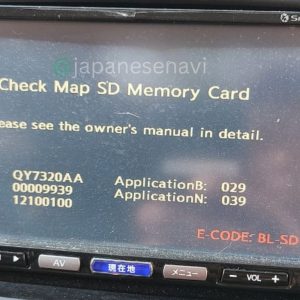
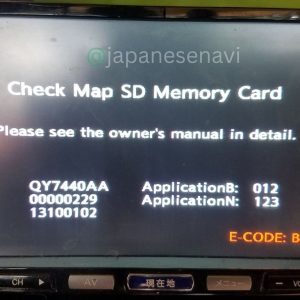
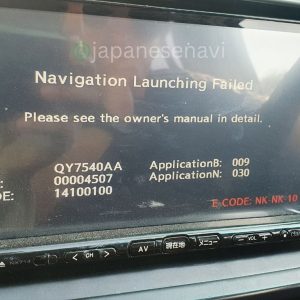
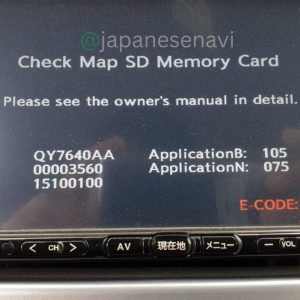
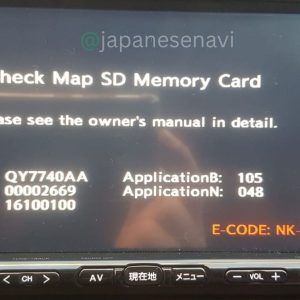
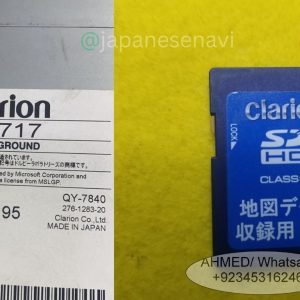
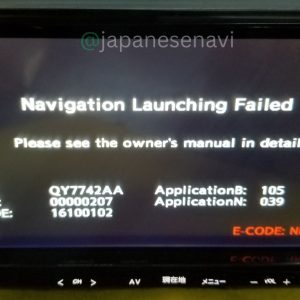
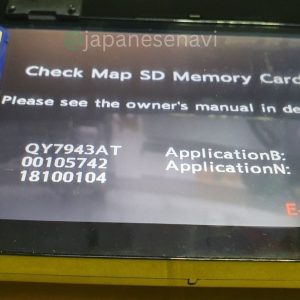
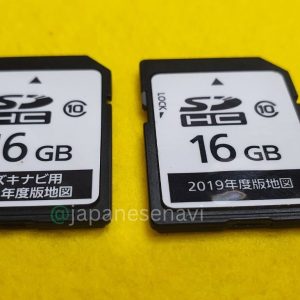
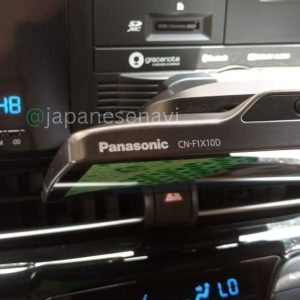
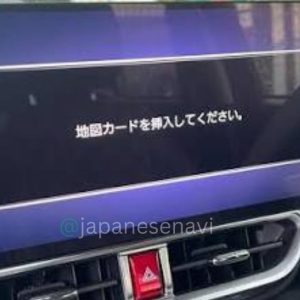
The Clarion NX712 Map SD Card service restores factory navigation on the Clarion NX712 navigation unit. When the original card is lost, corrupted, or missing, navigation stops working entirely. This listing provides remote software download and worldwide WhatsApp support so your Clarion NX712 navigation runs again without replacing the head unit.
The Clarion NX713 Map SD Card service restores factory navigation on the Clarion NX713 navigation unit. When the original card is lost, corrupted, or missing, navigation stops working entirely. This listing provides remote software download and worldwide WhatsApp support so your Clarion NX713 navigation runs again without replacing the head unit.
Restore your factory navigation system by fixing missing SD card errors and recovering navigation maps, GPS guidance, menu settings, Bluetooth and original Clarion navigation functions.
Available as download service or physical SD card shipping worldwide.
Contact WhatsApp for compatibility confirmation, technical support or video call assistance.
👁️ 3 People are viewing this product now!
Customer Satisfaction
★★★★★
5.0 Excellent (1 Customer Review)
Customer Specification:
Compatible with Clarion NX714 factory navigation systems.
Product Code: QY-7540A-A
Navigation System: Clarion Smart Access Link Wide 7-inch VGA Navigation
The Clarion NX715 Map SD Card service restores factory navigation on the 2015 model Clarion NX715 180mm premium 2DIN aftermarket navigation unit. When the original card is lost, corrupted, or missing, navigation stops working entirely. This listing provides remote software download and worldwide WhatsApp support so your Clarion NX715 navigation runs again without replacing the head unit.
The Clarion NX716 Map SD Card service restores factory navigation on the 2016 model Clarion NX716 180mm premium 2DIN aftermarket navigation unit. When the original card is lost, corrupted, or missing, navigation stops working entirely. This listing provides remote software download and worldwide WhatsApp support so your Clarion NX716 navigation runs again without replacing the head unit.
The Clarion NX717 Map SD Card service restores factory navigation on the 2017 model Clarion NX717 180mm premium 2DIN aftermarket navigation unit. When the original card is lost, corrupted, or missing, navigation stops working entirely. This listing provides remote software download and worldwide WhatsApp support so your Clarion NX717 navigation runs again without replacing the head unit.
The Clarion NX718 Map SD Card service restores factory navigation on the 2018 model Clarion NX718 180mm premium 2DIN aftermarket navigation unit. When the original card is lost, corrupted, or missing, navigation stops working entirely. This listing provides remote software download and worldwide WhatsApp support so your Clarion NX718 navigation runs again without replacing the head unit.
Restore your factory navigation system by fixing missing SD card errors and recovering navigation maps, GPS guidance, menu settings, Bluetooth and original Clarion navigation functions.
Available as download service or physical SD card shipping worldwide.
Contact WhatsApp for compatibility confirmation, technical support or video call assistance.
👁️ 3 People are viewing this product now!
Customer Satisfaction
★★★★★
5.0 Excellent (1 Customer Review)
Customer Specification:
Compatible with Clarion SGC761SW factory navigation systems.
Compatible Clarion Family:
MAX675W / MAX676W / MAX677W / MAX678W / NX717W / GCX Series Navigation Systems
Restores:
Navigation Map, GPS Guidance, Bluetooth Menu, Language Settings & Factory Navigation Functions
Common Issues Solved:
Check Map SD Memory Card Error / Navigation Not Loading / Missing Map Data / Navigation Launch Failure
The Clarion TZ-NAV01 Map SD Card service restores factory navigation on Toyota OEM dealer-option units fitted to Japanese domestic market vehicles. When the original card is lost, corrupted, or missing, navigation stops working entirely. This listing provides remote software download and worldwide WhatsApp support so your Clarion TZ-NAV01 navigation runs again without replacing the head unit.
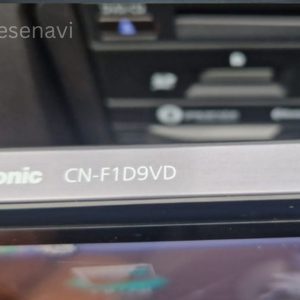
CN-F1D9VD Map SD Card for Panasonic Strada navigation. Supports the CN-F1D9VD system with the appropriate map SDHC card. Check your exact model before ordering.
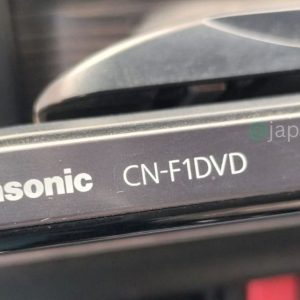
CN-F1DVD Map SD Card for Panasonic Strada navigation. Current official 2026 map card CA-SDL26CD supports CN-F1DVD. Confirm your exact navigation model before ordering.
CN-F1SD Map SD Card for Panasonic Strada navigation. Current official 2026 map card CA-SDL26CD supports CN-F1SD. Confirm your exact navigation model before ordering. ⭐⭐⭐⭐☆ 4.5/5 Customer Rating
✔ Verified solution for Panasonic CN-series navigation systems
⚡ 3–7 people are viewing this product right now
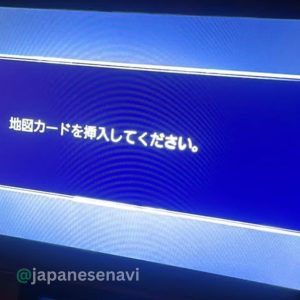
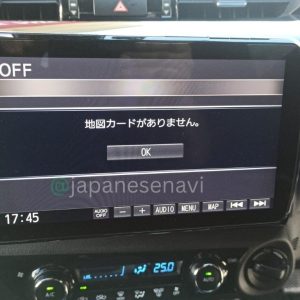
The CN-F1SD navigation system may stop working when the Map SD card is missing, corrupted, or not detected, causing navigation errors and system failure.
This bootable SD card restores original system functionality.
CN-F1X10BLD Map SD Card for Panasonic Strada F1X PREMIUM10 navigation. Current official 2026 map card CA-SDL26CD supports CN-F1X10BLD. Confirm your model before ordering. ⭐⭐⭐⭐☆ 4.5/5 Customer Rating
✔ Verified solution for Panasonic CN-series navigation systems
⚡ 3–7 people are viewing this product right now
The CN-F1X10BLD navigation system may stop working when the Map SD card is missing, corrupted, or not detected, causing navigation errors and system failure.
This bootable SD card restores original system functionality.
CN-F1X10D Map SD Card for Panasonic Strada F1X navigation. Current 2026 CA-SDL26CD map SDHC card officially supports CN-F1X10D. Verify your navigation model before ordering. ⭐⭐⭐⭐☆ 4.5/5 Customer Rating
✔ Verified solution for Panasonic CN-series navigation systems
⚡ 3–7 people are viewing this product right now
The CN-F1X10BD navigation system may stop working when the Map SD card is missing, corrupted, or not detected, causing navigation errors and system failure.
This bootable SD card restores original system functionality.
⭐⭐⭐⭐☆ 4.5/5 Customer Rating
✔ Verified solution for Panasonic CN-series navigation systems
⚡ 3–7 people are viewing this product right now
The CN-F1X10LD navigation system may stop working when the Map SD card is missing, corrupted, or not detected, causing navigation errors and system failure.
This bootable SD card restores original system functionality.
⭐⭐⭐⭐☆ 4.5/5 Customer Rating
✔ Verified solution for Panasonic CN-series navigation systems
⚡ 3–7 people are viewing this product right now
The CN-F1XD navigation system may stop working when the Map SD card is missing, corrupted, or not detected, causing navigation errors and system failure.
This bootable SD card restores original system functionality.