
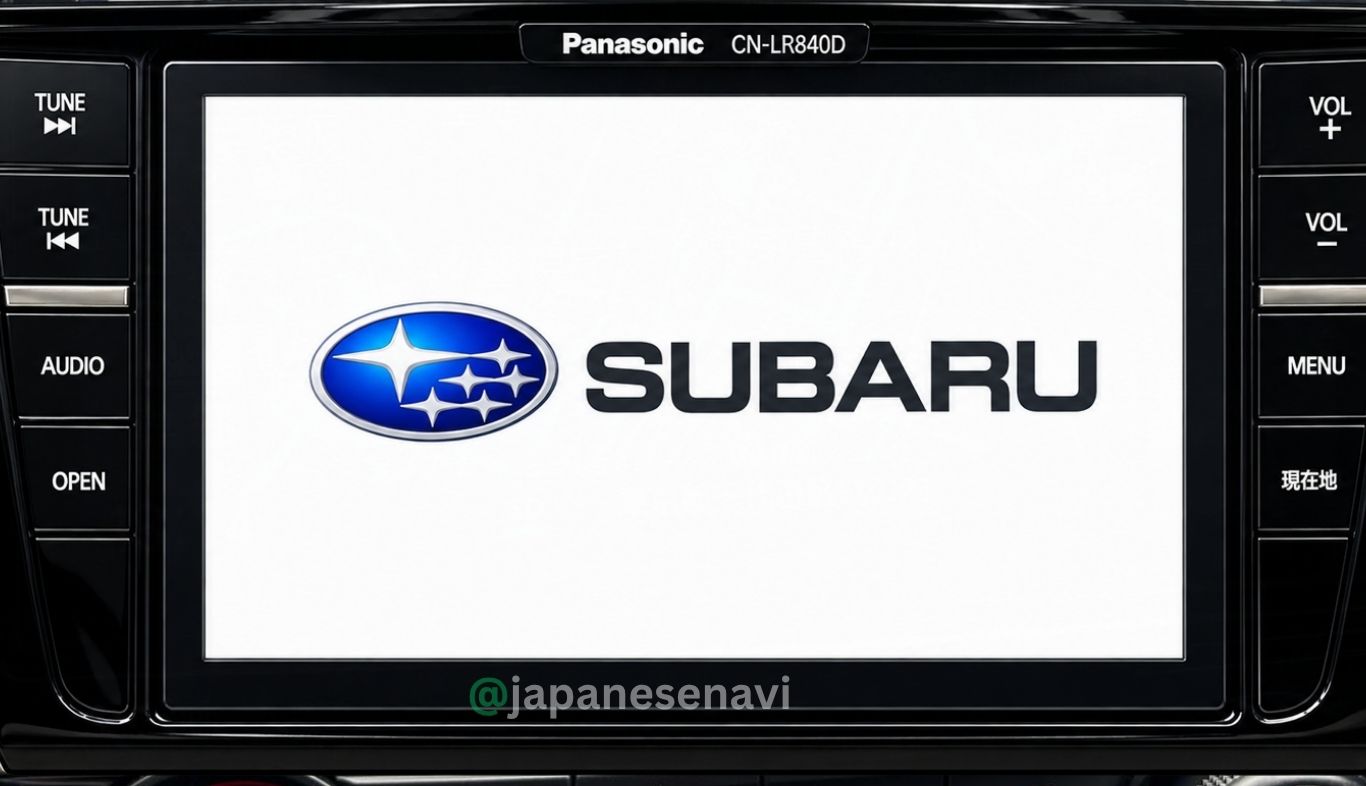
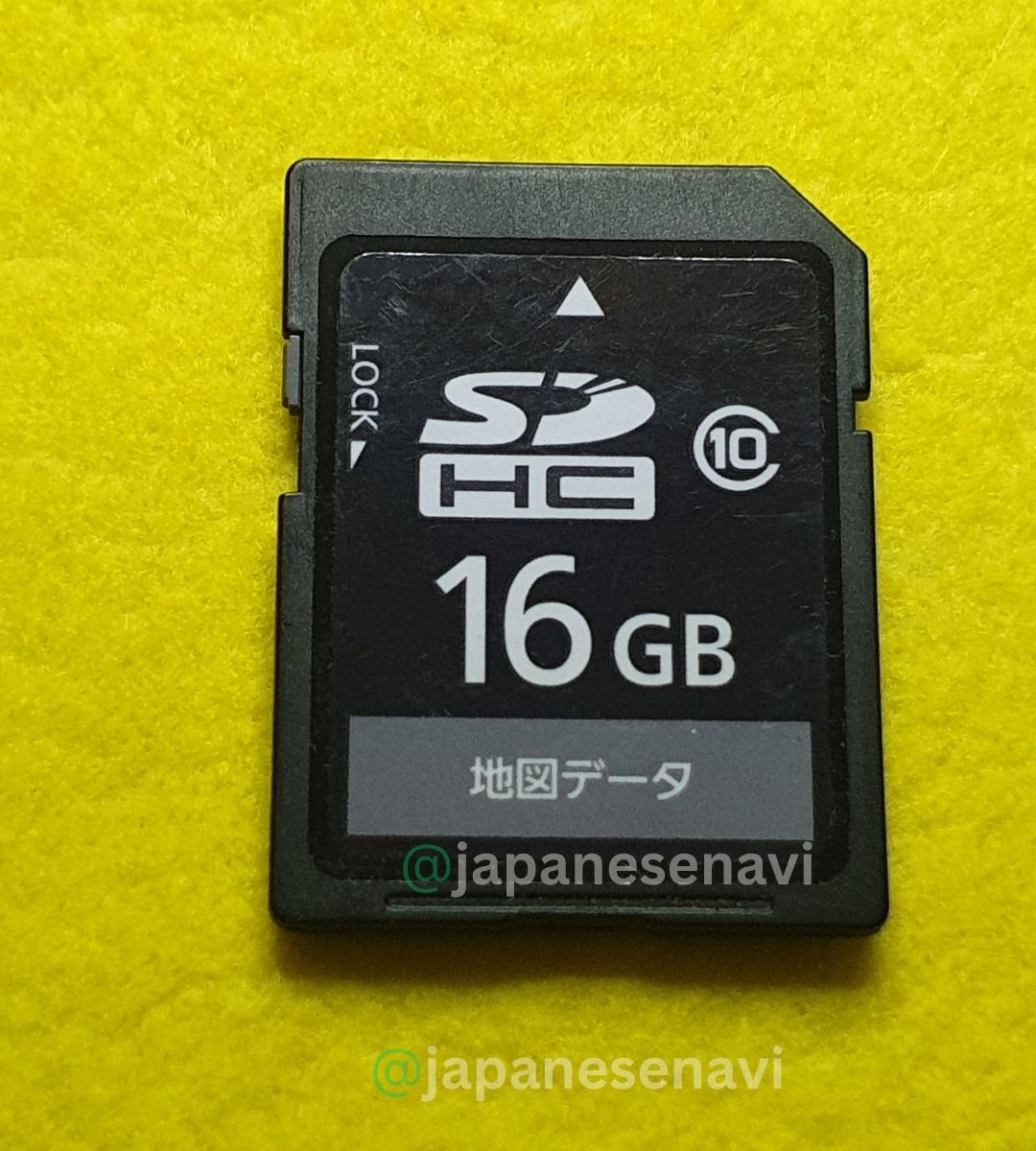
Panasonic CN-LR840DFD Map SD Card for Subaru Forester
Panasonic CN-LR840DFD Map SD Card for compatible Japanese Subaru factory navigation systems. CN-LR840DFD is a Panasonic Subaru genuine navigation model associated with the 2018–2019 model period, with documented use in the Subaru Forester SKE. Confirm the exact navigation model before ordering.
Description
Panasonic CN-LR840DFD Map SD Card for Subaru Forester
Japanese Subaru Panasonic Strada Navigation Map SD Card Solution by JapaneseNavi
The Panasonic CN-LR840DFD Map SD Card is navigation map media for compatible Japanese-market Subaru vehicles equipped with the Panasonic CN-LR840DFD factory/dealer-option navigation system.
Panasonic’s official Subaru information lists CN-LR840DFD among the Subaru genuine navigation models for the 2018 and 2019 model groups. Panasonic also lists CN-LR840DFD in its official Subaru navigation support and map-update information.
Japanese Subaru navigation references identify H0012SJ000** as the Subaru dealer-option number associated with CN-LR840DFD. The double asterisk represents a vehicle/model code appended to the Subaru part number.
Japanese owner discussions also specifically document the CN-LR840DFD in a Subaru Forester SKE, including questions about purchasing an SDHC memory card for map updating.
CN-LR840DFD is also closely related to Panasonic’s retail navigation family. Japanese references identify the corresponding Panasonic commercial model family as CN-RX04D / CN-RX04WD. This information can be useful when searching for compatible Panasonic map-update information, but customers should still match the exact Subaru navigation model before ordering.
This product page is designed for customers searching for a CN-LR840DFD Map SD Card, CN-LR840DFD Navigation SD Card, Subaru Forester navigation SD card, Panasonic Strada map card, Panasonic Strada Map SD Error Fix, or a replacement for missing, damaged or unreadable navigation map media.
Important: Do not select this product only by vehicle name. Subaru vehicles can have different navigation systems depending on model year, grade, equipment and dealer options. Always confirm that your navigation unit is specifically marked CN-LR840DFD.
Live Support |
YouTube |
Facebook |
TikTok |
Instagram
📌 CN-LR840DFD Compatibility Information
Navigation Model:
CN-LR840DFD
Manufacturer:
Panasonic
OEM / Vehicle Brand:
Subaru
Navigation Type:
Subaru genuine factory / dealer-option Panasonic built-in navigation
Navigation Size:
8-inch Panasonic built-in navigation
Subaru Dealer Option Number:
H0012SJ000** — vehicle/model code may be appended
Model Year:
2018 / 2019 Subaru model group
Map Media:
Navigation Map SD / SDHC Memory Card
Documented Vehicle Example:
Subaru Forester SKE
Panasonic’s official support information lists CN-LR840DFD in both the 2018 and 2019 Subaru model groups.
🚗 Subaru Vehicle Compatibility & Model Information
The strongest vehicle-specific evidence found for the exact CN-LR840DFD model is the Subaru Forester SKE. Japanese owner discussions specifically describe a Forester SKE equipped with CN-LR840DFD and discuss purchasing an SDHC memory card for map updating.
Documented Subaru Search Terms
- Subaru Forester SKE
- Subaru Forester 2018
- Subaru Forester 2019
- Subaru Forester Hybrid / e-BOXER
- Subaru Impreza Sport
- Subaru WRX
- Subaru WRX S4
- Subaru XV
- Subaru Levorg
Some of these vehicle names appear in broader CN-LR840DFD navigation references and owner databases, but they should not automatically be treated as universal compatibility. Subaru dealer-option navigation varies by vehicle and model code.
For example, Japanese Subaru fitting information separately identifies CN-LR840DFD as H0012SJ000**, while other 2018 Subaru vehicles used different Panasonic models such as CN-LR840DFA/DFB or CN-LX840DFA/DFB.
Best compatibility check: Check the navigation unit, original map card, navigation settings or vehicle documentation and confirm the exact model number CN-LR840DFD.
⚠️ Panasonic Strada CN-LR840DFD Map SD Error Fix
Customers often search for a navigation solution by describing the problem rather than entering the navigation model number. This section covers common search terms related to Panasonic Strada Map SD Error Fix and Subaru navigation map-card problems.
- CN-LR840DFD map not loading
- CN-LR840DFD map SD card missing
- CN-LR840DFD SD card not recognized
- CN-LR840DFD map card error
- CN-LR840DFD navigation map error
- CN-LR840DFD map data cannot be read
- CN-LR840DFD navigation SD card replacement
- Panasonic Strada map SD error
- Panasonic navigation SD card error
- Subaru navigation SD card error
- Subaru map SD card missing
- Japanese navigation map card missing
- Original map SD card damaged
- Navigation map data unavailable
- Map update SD card problem
A compatible replacement map SD card may be relevant when the original navigation map media is missing, damaged or unreadable. Similar symptoms can also result from navigation hardware, software, power supply or other system faults, so an SD-card replacement should not be represented as a guaranteed repair for every navigation fault.
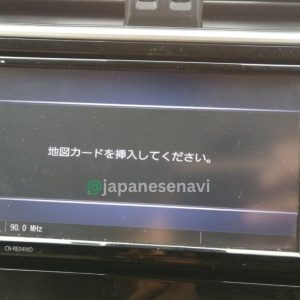
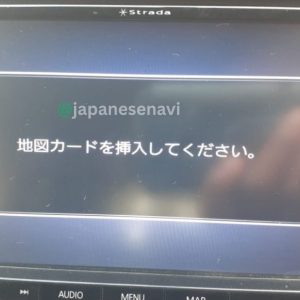
🈁 Japanese Navigation Error Messages & Search Terms
Owners of imported Japanese Subaru vehicles may search for navigation problems using Japanese messages displayed on the screen. Related search terms include:
- 地図SDカードを挿入してください — Please insert the map SD card.
- 地図カードを挿入してください。 — Please insert the map card.
- 地図カードがありません。 — Map card is missing / Map card not found.
- SDカードを確認してください。 — Please check the SD card.
- ファイルが見つかりません。SDカードをご確認ください。 — File not found. Please check the SD card.
- 地図データを読み込めません。 — Map data cannot be read.
- 地図データがありません。 — Map data is missing / unavailable.
- 地図更新 — Map update.
- 地図SD — Map SD card.
Exact Japanese error wording can vary according to the navigation software, map version and system condition. These phrases are included as related search and troubleshooting terms and do not mean that every CN-LR840DFD unit displays every message.
💾 CN-LR840DFD Map SDHC Card & Map Update Information
Panasonic’s official map-update information specifically lists CN-LR840DFD and provides separate update information depending on the navigation serial-number group. Panasonic shows both SD-card delivery and web-download update routes for applicable CN-LR840DFD units.
For units with serial numbers beginning with 6 or 7, Panasonic’s official information shows a map-update program with web-download registration and an applicable update period. For units with serial numbers beginning with 5, Panasonic lists a separate update program.
Panasonic’s official historical information shows that the applicable free/update programs had fixed registration and data-delivery periods. Therefore, customers searching for a CN-LR840DFD latest map should confirm the actual map-data version supplied with a replacement card rather than assuming that an old official update program is still active.
Japanese owner discussions also show customers using SDHC memory cards for updating the CN-LR840DFD navigation in the Subaru Forester SKE.
Map-version warning: CN-LR840DFD map data is not simply a generic blank SD card. The navigation expects compatible navigation/map data. Do not format or overwrite an original navigation card unless you know exactly what you are doing.
🔄 CN-LR840DFD & Panasonic CN-RX04D Relationship
Japanese navigation references identify the Subaru CN-LR840DFD as corresponding to the Panasonic commercial navigation family CN-RX04D / CN-RX04WD. This relationship can help customers locate Panasonic documentation and map-update information.
However, the Subaru navigation remains a vehicle-specific dealer-option model. Customers should not purchase a generic Panasonic map card merely because it carries a similar retail model number. Always check the exact navigation model and the applicable map-data compatibility.
Search terms:
- CN-LR840DFD
- CN-RX04D
- CN-RX04WD
- Panasonic Strada CN-RX04D
- Panasonic CN-LR840DFD
- Subaru CN-LR840DFD
- Subaru Forester CN-LR840DFD
🛠️ CN-LR840DFD Map SD Card Replacement & Update Guide
Step 1 — Confirm the Navigation Model
Before ordering, confirm that the navigation unit is specifically identified as CN-LR840DFD.
Step 2 — Check the Original Map Card
If the original map SD/SDHC card is still available, check its label and physical condition. Do not format or modify the original navigation card unnecessarily.
Step 3 — Confirm the Map Data Version
Different map-data editions were released for Panasonic navigation systems. Confirm the exact map-data version supplied with the replacement card.
Step 4 — Check the Navigation Serial Number
Panasonic’s official update information distinguishes CN-LR840DFD units by serial-number groups, including units beginning with 5 and units beginning with 6 or 7. This can affect the applicable update procedure.
Step 5 — Insert the Correct Map Card
Use the correct map SD/SDHC media for the navigation and insert it into the designated map-card slot according to the navigation’s instructions.
Step 6 — Restart and Check Navigation
After installation, allow the navigation system to initialize and read the map data. Check map display, destination search and route calculation.
Step 7 — If the Error Remains
If the navigation continues to show an SD-card or map error with known-compatible media, further diagnosis may be necessary. The fault may be related to the card reader, navigation hardware, software or another system component rather than the map card itself.
🔎 CN-LR840DFD SEO Search Keywords
- CN-LR840DFD Map SD Card
- CN-LR840DFD SD Card
- CN-LR840DFD Map Card
- CN-LR840DFD Navigation SD Card
- Panasonic CN-LR840DFD
- Panasonic CN-LR840DFD Map
- Panasonic Strada CN-LR840DFD
- Subaru CN-LR840DFD
- Subaru Panasonic CN-LR840DFD
- CN-LR840DFD Replacement SD Card
- CN-LR840DFD Map Card Replacement
- CN-LR840DFD Map Update
- CN-LR840DFD Latest Map
- CN-LR840DFD Map Error
- CN-LR840DFD SD Card Error
- CN-LR840DFD Navigation Error
- CN-LR840DFD Missing SD Card
- CN-LR840DFD Map Data Error
- CN-LR840DFD SDHC Card
- Panasonic Strada Map SD Error Fix
- Subaru Map SD Error Fix
- Subaru Navigation SD Card
- Japanese Subaru Navigation SD Card
- Japanese Panasonic Navigation Map SD Card
- Subaru Forester Navigation SD Card
- Subaru Forester SKE Navigation SD Card
- Subaru Forester SKE Map SD Card
- Subaru Impreza Navigation SD Card
- Subaru WRX Navigation SD Card
- Subaru WRX S4 Navigation SD Card
- Subaru XV Navigation SD Card
- Subaru Levorg Navigation SD Card
- Panasonic CN-RX04D Map SD Card
- Panasonic CN-RX04WD Map SD Card
📋 CN-LR840DFD Product Summary
| Navigation Model | CN-LR840DFD |
| Manufacturer | Panasonic |
| OEM / Vehicle Brand | Subaru |
| Navigation Type | Subaru genuine dealer-option Panasonic built-in navigation |
| Screen Size | 8-inch |
| Model Year Group | 2018 / 2019 |
| Subaru Option Number | H0012SJ000** |
| Map Media | Navigation Map SD / SDHC Memory Card |
| Strong Documented Vehicle Example | Subaru Forester SKE |
| Related Panasonic Retail Family | CN-RX04D / CN-RX04WD |
| Product Brand | JapaneseNavi |
❓ Frequently Asked Questions About CN-LR840DFD
What is CN-LR840DFD?
CN-LR840DFD is a Panasonic-built Subaru genuine/dealer-option navigation model used in Subaru’s 2018 and 2019 model groups. Panasonic’s official support pages list the model directly.
What is a CN-LR840DFD Map SD Card?
It is navigation map media intended for a compatible Panasonic CN-LR840DFD Subaru navigation system.
Which Subaru uses CN-LR840DFD?
The strongest specific vehicle evidence found is the Subaru Forester SKE. Japanese owner discussions specifically identify a Forester SKE equipped with CN-LR840DFD.
Is CN-LR840DFD used in Subaru Forester?
Yes. Japanese owner information specifically documents CN-LR840DFD in a Subaru Forester SKE.
Is CN-LR840DFD a Panasonic navigation?
Yes. Panasonic’s official Subaru support information lists CN-LR840DFD as one of its Subaru navigation models. Japanese Subaru fitting references describe it as an 8-inch Panasonic built-in navigation.
What is the Subaru part number for CN-LR840DFD?
The Subaru dealer-option reference is H0012SJ000**, where the suffix can contain a vehicle/model code.
Does CN-LR840DFD use an SD card for maps?
Yes. Panasonic’s official map-update information specifically provides SD-card and web-download update procedures for CN-LR840DFD, and Japanese owner discussions refer to SDHC memory cards for map updates.
Is CN-LR840DFD the same as CN-RX04D?
Japanese navigation references identify CN-LR840DFD as corresponding to the Panasonic commercial CN-RX04D/CN-RX04WD family. However, the Subaru-specific model should still be matched by its exact model number before purchasing map media.
Can I use any Panasonic SD card?
No. A normal blank SD card should not be treated as a compatible navigation map card. The navigation requires appropriate map data and compatible media.
Does CN-LR840DFD have map updates?
Yes. Panasonic’s official records show historical map-update programs for CN-LR840DFD, including different procedures based on the unit’s serial-number group. Those programs had fixed registration/data-delivery periods, so current map availability should be confirmed separately.
What Japanese error messages may appear?
Customers searching for map-card problems may use phrases such as 地図カードを挿入してください (Please insert map card), 地図カードがありません (Map card not found) and SDカードを確認してください (Please check the SD card). Exact wording depends on the navigation software and condition.
How do I confirm my navigation model?
Check the model number printed on the navigation unit, original map card, navigation settings screen or vehicle documentation. The model should read CN-LR840DFD.
What if I am unsure whether my card is compatible?
Send JapaneseNavi a clear photograph of the navigation model number and, if available, the original map SD card label before ordering.
⭐ JapaneseNavi Japanese Navigation Solution
JapaneseNavi provides navigation map SD card solutions and model-specific information for Japanese-market vehicles and factory navigation systems.
Our product pages focus on the exact navigation model number so customers can identify the correct navigation media instead of choosing a product only by vehicle name.
For CN-LR840DFD, this page focuses on Panasonic Subaru navigation, map SD-card replacement, map-update information, Japanese navigation error searches and the strongest documented Subaru vehicle applications.
If you are unsure whether your navigation is CN-LR840DFD, send JapaneseNavi a clear photograph of the navigation model number before ordering.
Need help confirming your CN-LR840DFD navigation?
Send JapaneseNavi a clear photograph of the navigation model number before ordering.
Compatibility Disclaimer: Compatibility should always be confirmed using the exact navigation model number. Subaru vehicle equipment can vary by model year, grade, vehicle code and dealer/dealer-option equipment. Map availability and map versions can change over time. JapaneseNavi is an independent navigation SD card supplier and this page is not an official Panasonic or Subaru website.
Reviews
There are no reviews yet.